Every ABA macro.
One focused app.
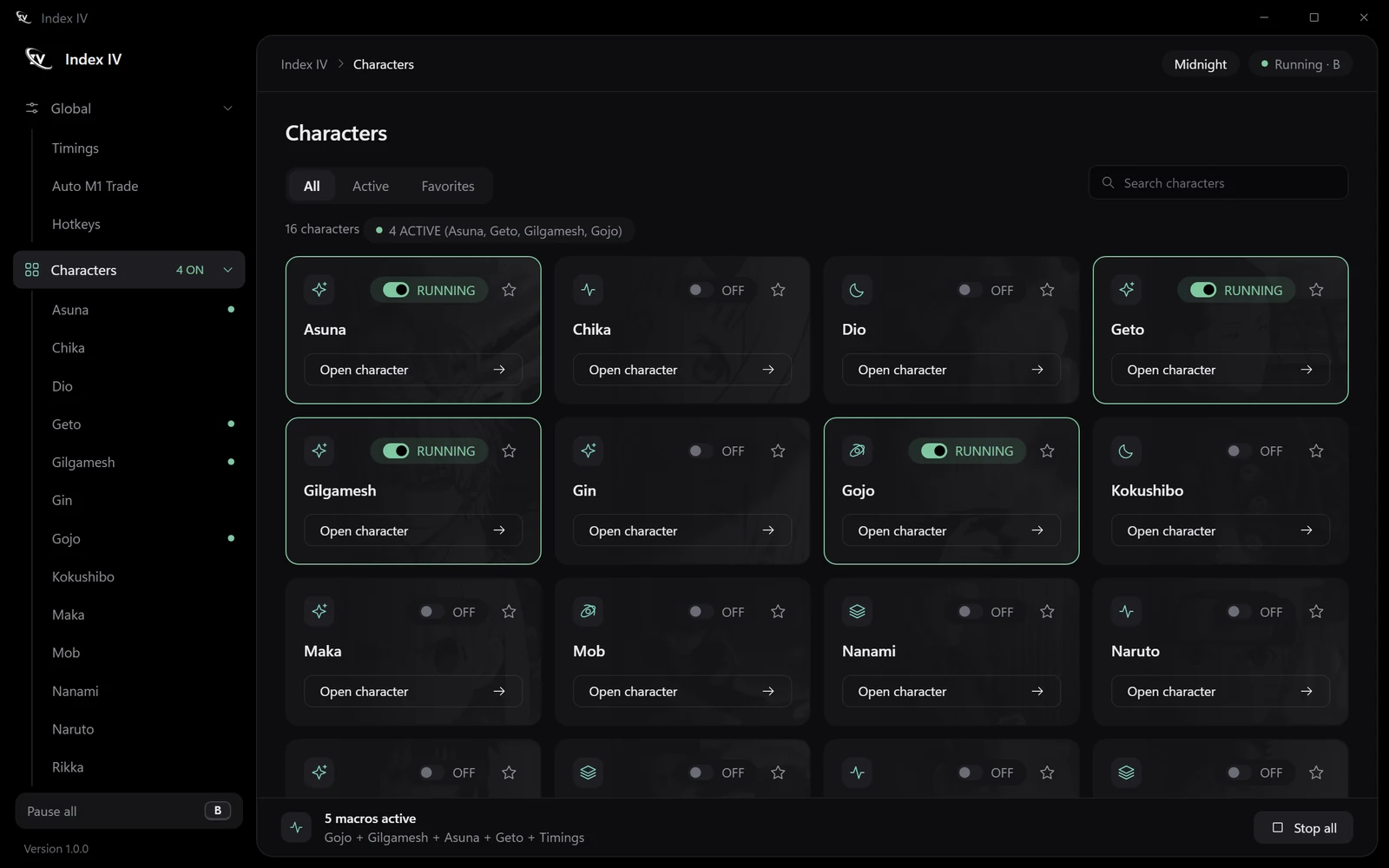
Character combos, auto M1 trading, skin reroll and your own custom techs, all in one Windows app. Switch one on, press the key in game.
Using Index IV means you agree to the Terms of Service.
Built for
Everything in one app
One key. The whole combo.
Good combos take a lot of inputs in a tight order. Pick a character, switch it on, and press one key in game. Index IV plays the whole sequence for you.
You pick how many hits to wait for. Index IV never presses block for you.
Win trades without the reaction speed.
In a trade you block while the other player swings. Index IV counts their hits by sound, and once it reaches your number it lets go of block and swings back for you.
- Hold W0 ms
- Tap Space+100 ms
- Tap Skill 1+12 ms
- Release everything+50 ms
Teach it your own combo.
Press record, do the combo once in game, and Index IV turns it into steps. Bind it to a key and it plays back the same way every time.
It keeps rerolling until the skin you want drops.
Reroll skins while you're away.
Skin Reroll opens crates, reads what dropped on screen, and carries on. It keeps rerolling until you get the skin you want.

See it without alt-tabbing.
A small card appears at the lower left of Roblox when your macros pause or resume, and when a character switches on or off. You always know what is running.
Works in windowed and borderless. Roblox in exclusive fullscreen can hide any overlay.
No license or account details are ever included.
Back up your setup. Share it in one paste.
Save your character settings, custom techs and preferences to a file, or copy a short code. Send it to a friend, they paste it in, and they have your exact setup.
A closer look.
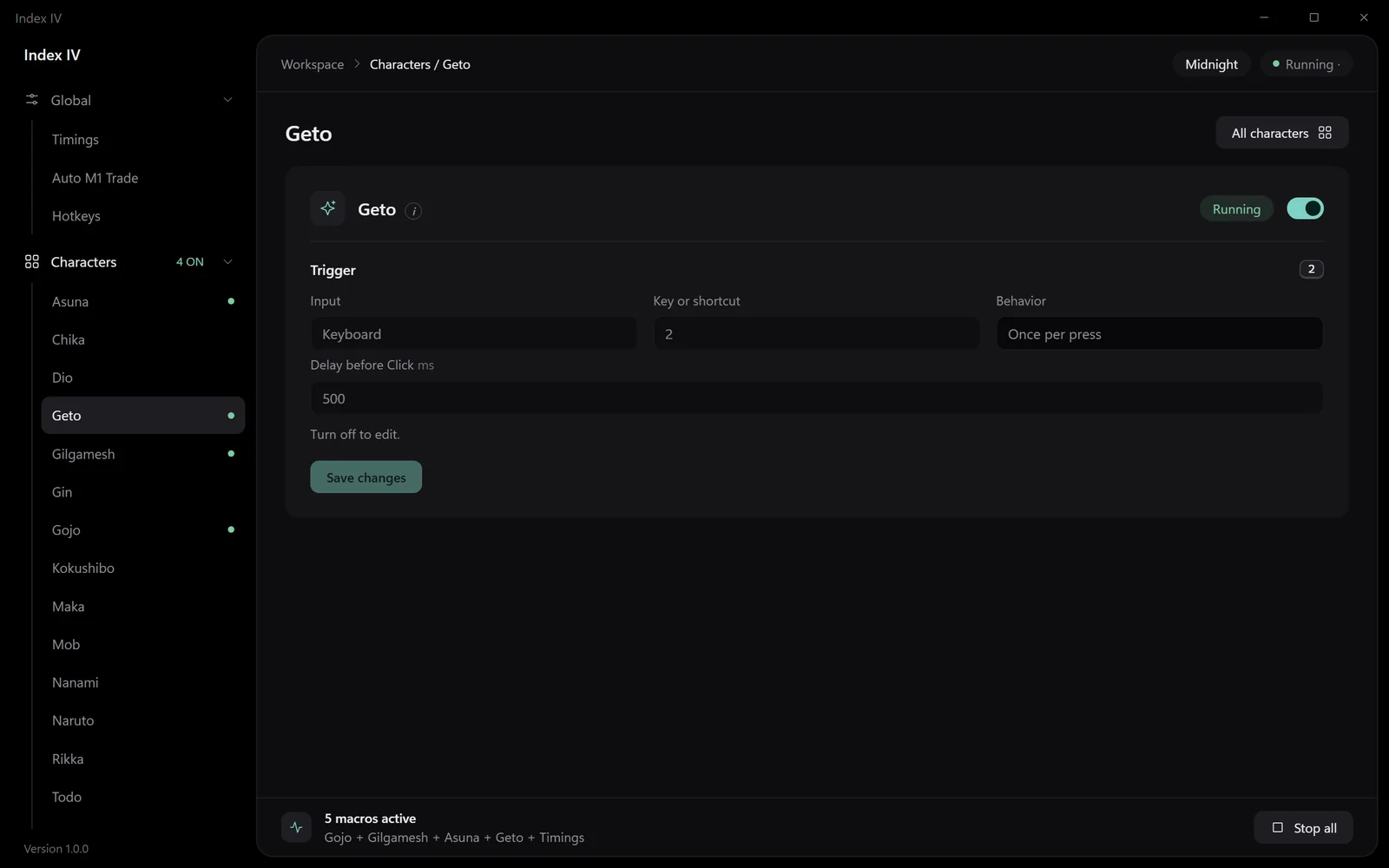
Per-character settings
Pick the key, the mode and the delay. That is all there is to it.
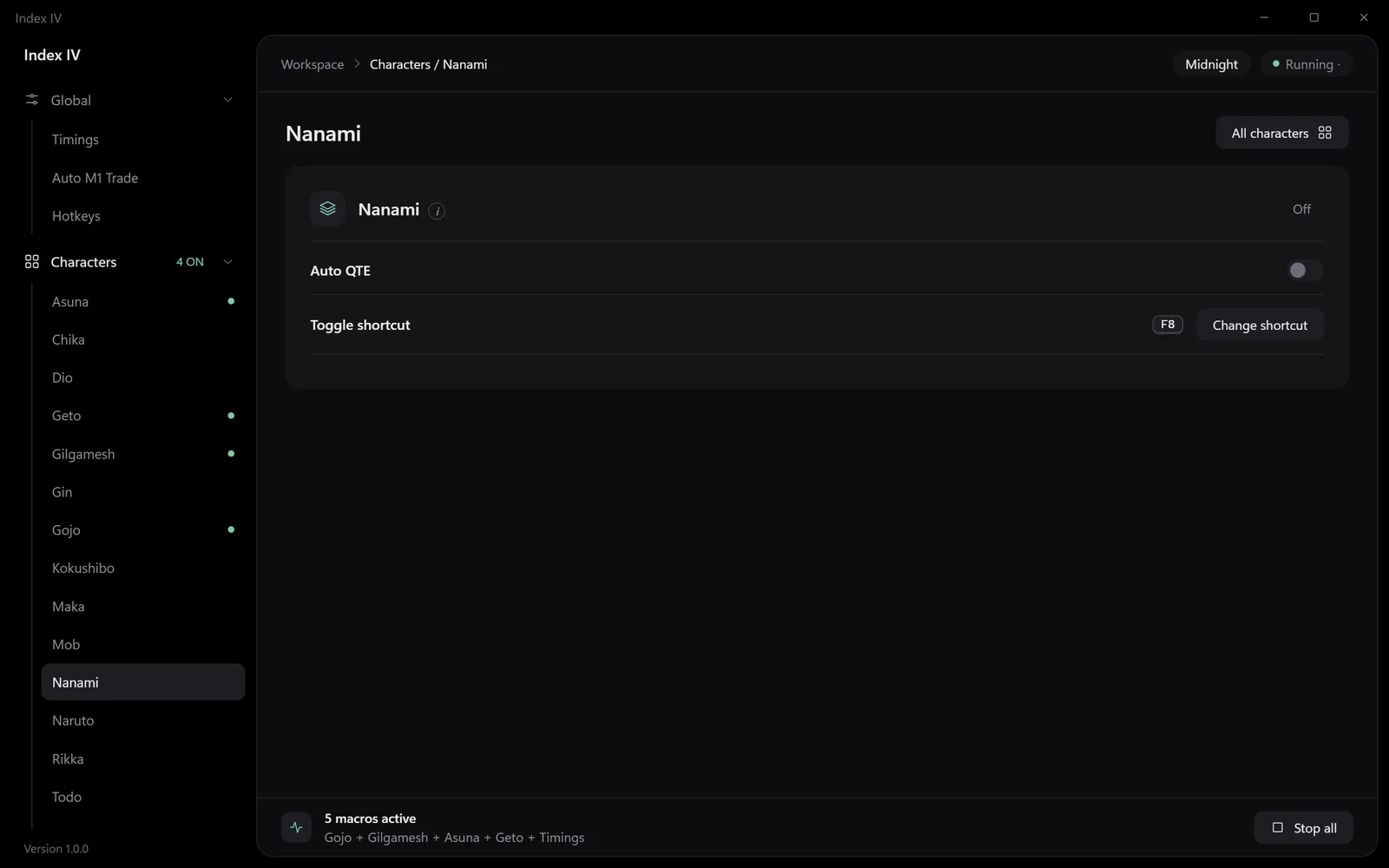
Nanami auto-critical
Reads your screen and clicks when the target lines up.
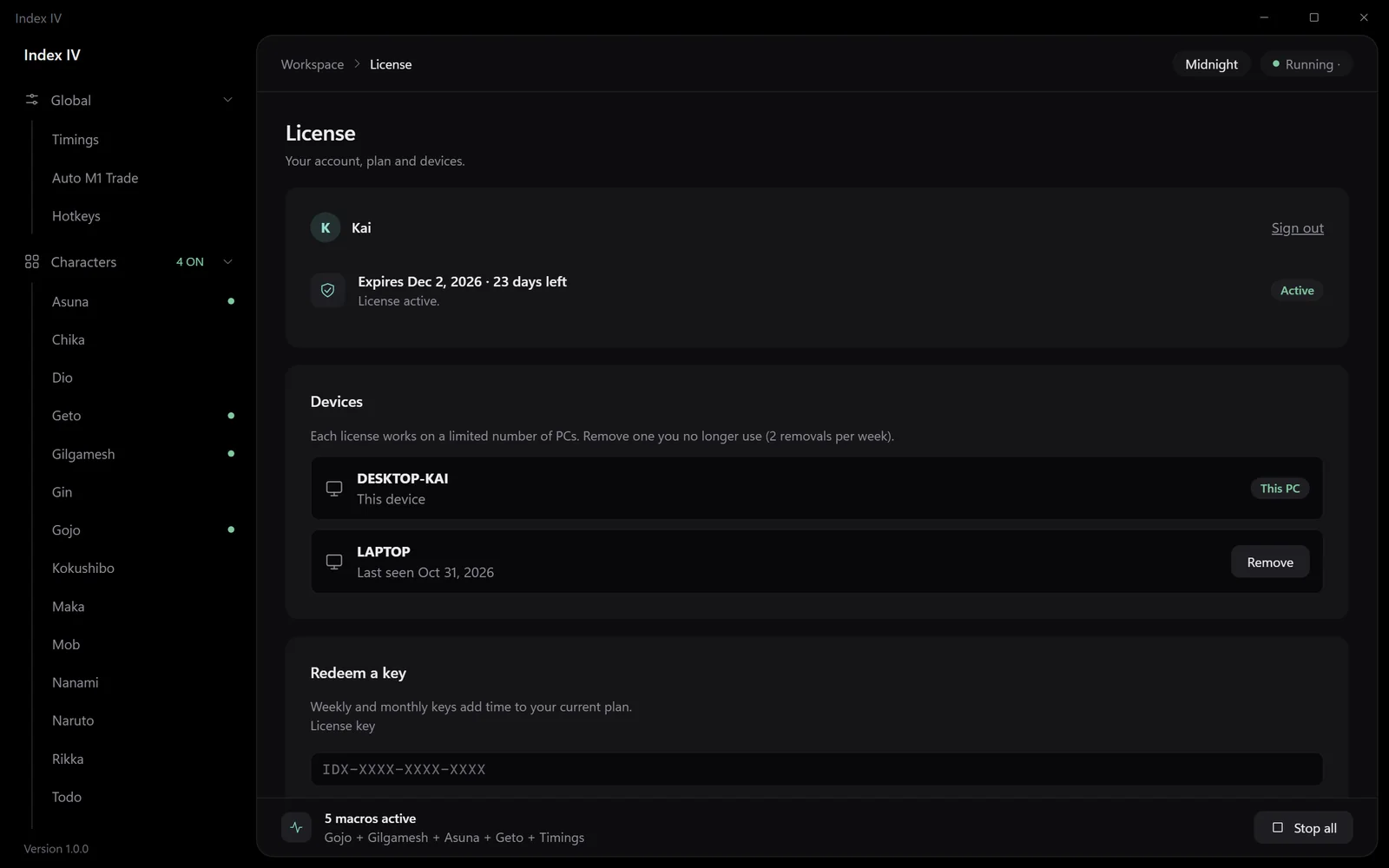
Your license
See your plan and manage up to two PCs.
Pick your plan.
Every plan unlocks everything. No subscriptions, no auto-renew. Buy a key, redeem it, and your time stacks.
- All 16 characters, plus new ones
- All five global tools
- Use on up to 2 PCs
- Time stacks with more keys
- All 16 characters, plus new ones
- All five global tools
- Use on up to 2 PCs
- Time stacks with more keys
- All 16 characters, plus new ones
- All five global tools
- Use on up to 2 PCs
- Updates included
Plans are redeemed with a key, not a subscription. Accepted payment methods are shown at checkout.
Index IV vs. loose scripts.
The same macros are possible with scattered scripts. Here is what you give up.
Index IV keeps growing.
New characters and new features are always in the works. Every plan gets them as they ship, at no extra cost.
More characters
The roster is not finished. New characters are added over time, each with its own tuned page.
New features
More tools and quality-of-life options are planned beyond what is here today.
Free updates
Everything new lands in the app you already have. No upgrade fees.
Want something added? Tell us in the Discord.
Join the community.
Updates, tips, and support. All in one place.